Artwork Guide
Printed Pens
Everything you need to set up and submit your pen artwork.
Printing on Your Pens
Add your logo, business name or message to our printed pens for an easy way to keep your brand in customers' hands. The printable area is compact, so simple, clear artwork will give you the best result.
Creating Your Pen Artwork
Start with our artwork template to position your design within the printable area and check everything is sized correctly before uploading.
Open the pen artwork template and keep it at its original size.
Position your logo, text or design within the printable area shown on the template.
Check small text and fine details are clear and easy to read at the finished print size.
Remove the template guides, then save your finished artwork ready to upload.
Keep It Simple
Pens have a smaller print area than most products, so bold logos and short messages usually work best. Avoid very small text or intricate details that may be difficult to see once printed.
Where Will My Artwork Be Printed?
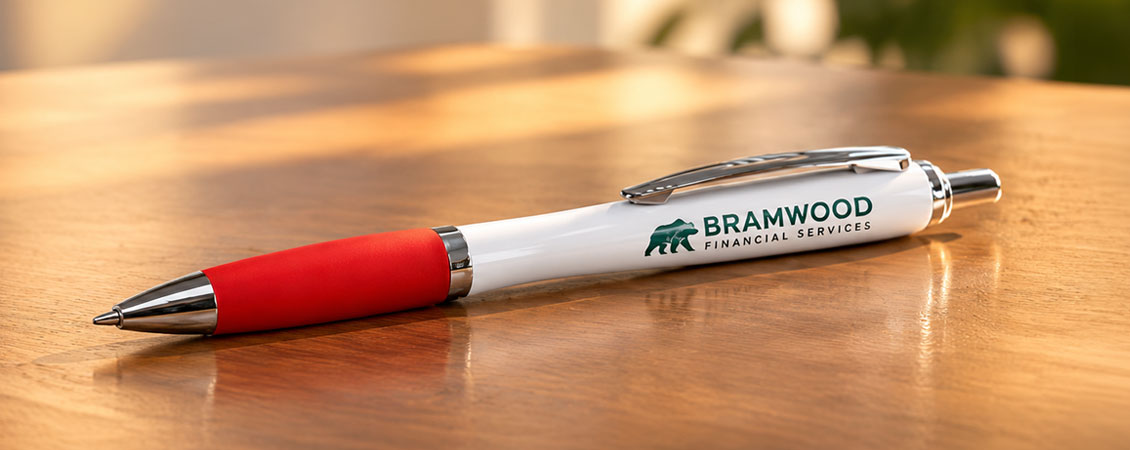
Your artwork is printed onto the white barrel of the pen. Keep your design within the printable area shown in the template so it appears clearly on the finished product.
 How it looks on your pen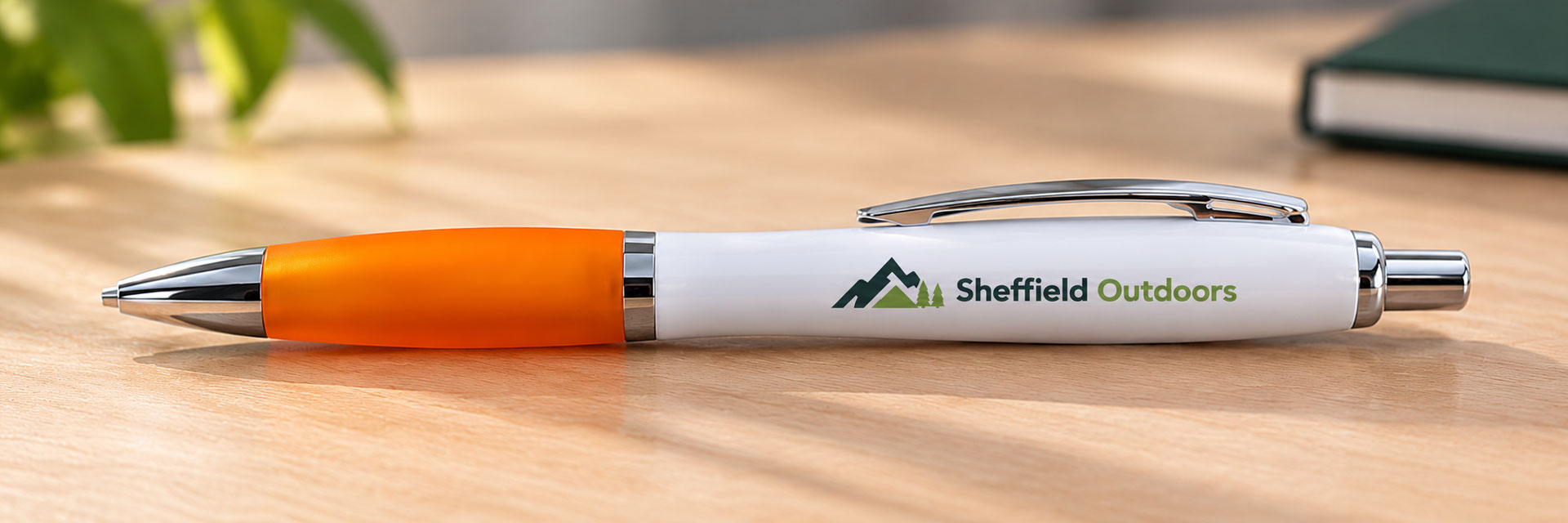
Pen Artwork Specifications
Before uploading your design, check your artwork matches these specifications.
60mm x 8mm
0mm
Set your artwork up in CMYK for print.
Use images at 300dpi at their final print size.
For your finished artwork, we recommend supplying a print-ready PDF.
Outline your fonts before saving your final artwork.
Download Your Pen Template
Choose the file type that works best for you. Each template is set up to the correct pen artwork dimensions.


Top Tips for Perfect Pens
- Set your artwork up in CMYK for the best representation of your printed colours.
- Keep your design simple. Bold logos and short messages work best within a compact print area.
- Avoid very small text and fine details that may become difficult to read once printed.
- Make sure your artwork has enough contrast against the white pen barrel.
- Outline your fonts and save your finished artwork as a print-ready PDF.
- Want to order different designs? Add each design to your basket as a separate item.
Checking Your Artwork
Checking Your Proof
Before approving your proof, check your spelling, logo quality, artwork position and overall size. Pay particular attention to small text and fine details to make sure everything will be clear when printed.
Now you know how to set up your artwork, head over to our Printed Pens page to get started.

.jpg)